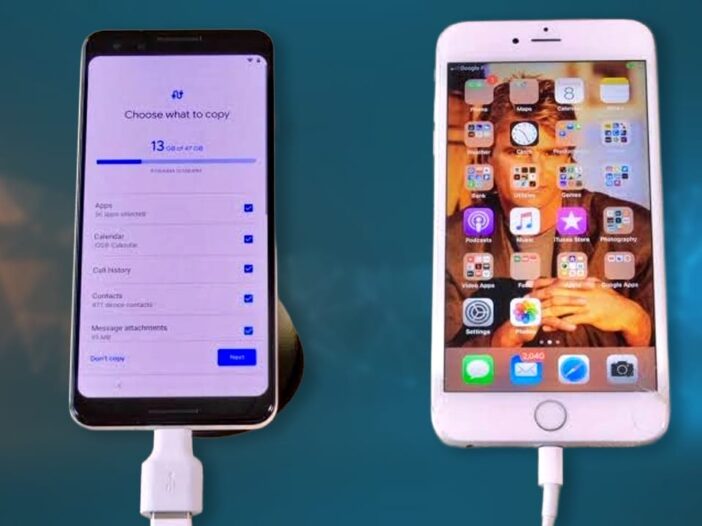
Switching from iPhone to Android phone has now become much easier than before. A new feature called Transfer to Android has been added in Apple’s new iOS 26.3 update, with the help of which users can transfer their data to a new Android device without any major hassle. Through this feature, messages, photos, videos and many important files can be easily transferred from one phone to another.
It is necessary to backup on iCloud or computer
However, before starting the transfer, it is important to prepare both the devices properly so that any kind of problem or data loss can be avoided. For this it is necessary that iPhone iOS 26.3 Must be updated and the Android phone should be running on Android 16 or the latest available version. Both devices should have at least 80% battery and it would be better if they were kept on charging. Also, both the phones should be connected to the same Wi-Fi network and Bluetooth should also be on. It is also considered necessary to take backup on iCloud or computer for data security.
Data is transferred to the new phone
to transfer data iPhone Open Settings and go to General section and select Transfer or Reset iPhone option. Here the option of Transfer to Android will appear, which has to be clicked. After this, turn on the Android device and complete the initial setup. Start the connection process by selecting the iPhone or iPad option on the setup screen.
The QR code displayed on the Android phone is scanned from the iPhone, connecting the two devices. In some cases, Session ID and Pairing Code can also be used. After the connection is made, the user has to select the data he wants to transfer and then the process is taken forward. Within no time all the selected data is transferred to the new phone.
eSIM transfer facility is also provided
Through this new system, iMessage and SMS chats can also be converted to Android’s RCS or Google Messages format. Apart from this, photos, videos and live photos are also transferred and appear in motion format on Android. Passwords can also be securely exported from iCloud Keychain to Google Password Manager or another vault. The facility of eSIM transfer is also provided on some carriers, due to which there is no need to buy a new SIM.
has to be set manually
However, some things like health data, locked notes and Bluetooth devices are not transferred automatically and have to be set manually. After the transfer is complete, it is important to turn off iMessage on the iPhone so that the messages arrive on the correct device. Also, on Android, there is a facility to reinstall apps from Play Store and cards have to be added manually to Google Wallet.
Also read- If such a message comes on WhatsApp, be alert immediately, one mistake can empty your bank account.
The party will be double the fun! Boat’s new 80W speaker launched, battery will last for 15 hours

Leave a Reply