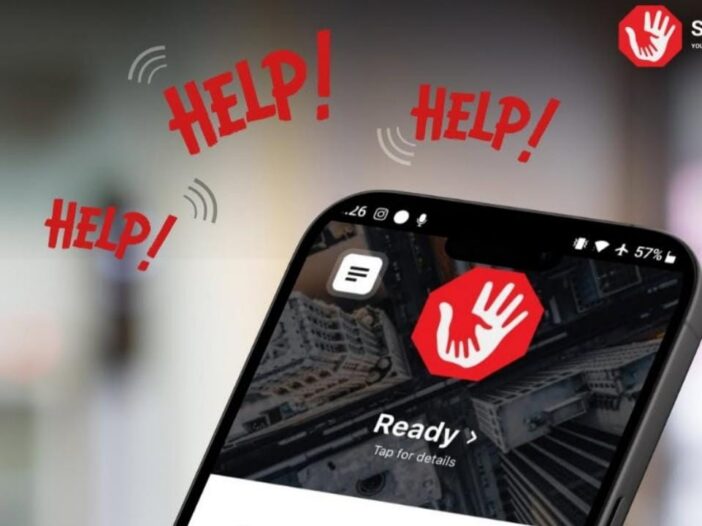
Say Help App: Be it women’s safety or any emergency situation, Say Help app is useful in every problem. Recently, this app proved to be an angel for a female lawyer of the Supreme Court because because of this app, her life was saved. Se Help App is a voice-activated emergency app that instantly sends real-time video, audio and GPS details to your contacts and alerts the police via SMS and WhatsApp.
The female lawyer triggered this voice activated emergency app, after which the alert reached the creator of the app who immediately alerted the police and the police immediately came into action. Before fainting, the woman asked for help through this app by saying I Need Help.
How does Say Help work?
- This app is available on Google Play Store for Android users and App Store for Apple users. After downloading the app, as soon as you open the app, you will get the option to sign-in through three methods, the first way is that you can sign-in through WhatsApp. Second way you can sign-in through Telegram and third way you can sign-in to this app through phone number.
- On the next step you will be asked to set the app language and voice recognition language. Here you will see written that this app gets triggered when you say something in an emergency. According to the developer of the app, as soon as a person says HELP HELP HELP 3 times, the app gets a trigger (alert), you can also change this phrase in the app. After receiving the alert from you, the app sends all your details directly to the police.
- After setting the app language and voice recognition language, the next step is the Terms of Use page, after acknowledging which you will have to press the Accept button shown below. On the next step you will be asked to give Microphone Access. After giving microphone access, you will have to give camera access in the next step. After giving microphone and camera access, you will have to give GPS location access in the next step.
- On the next step, you will be asked for some important information like name, date of birth, gender, email, scars, tattoo (for your identification), address (city, state, pin code, country), vehicle details (company, model, color, number plate number). After giving all this, you will have to press the Save button visible on the top right side. Name, Birthday, Gender and Address, without this information you will not be able to save the details on this page.
- After giving your information, on the next page you will have to give the information about the Emergency Contact whom you want to contact in case of emergency. In Name, Phone Number, Send Alert, you will have to choose how to send the alert (text message or WhatsApp), after this you will have to specify the relationship.
- Friends, family and police can track alerts in real-time, what’s more, they will be able to track you even if you don’t use the Emergency Contact app.
Read this also- Jio OTT Pass has arrived, many benefits including 15 OTT Apps for Rs 200

Leave a Reply