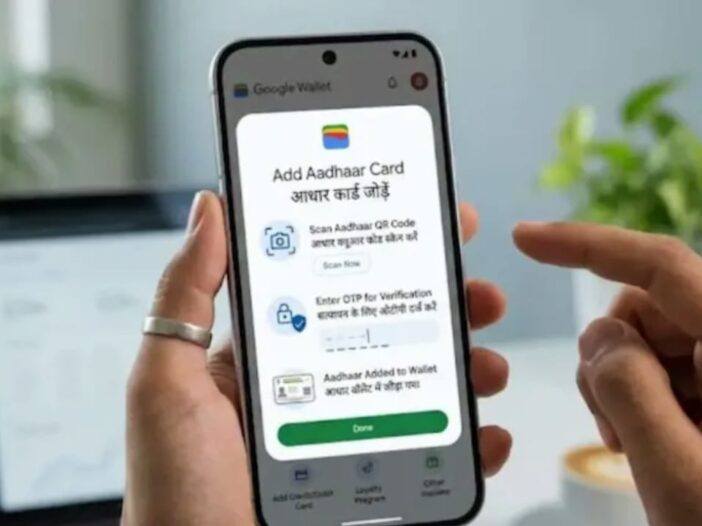
Google Wallet Aadhaar Card: Google has released a major update in its Google Wallet app for Indian Android users. Now users will also be able to keep their Aadhaar card safe in digital form in Google Wallet. For this, Google has partnered with UIDAI. Through this new feature, many tasks like identification and age verification will become easier than before. Now users will have less need to carry physical Aadhaar card with them all the time. Let us know how you can save Aadhar card in Google Wallet.
Aadhaar card support comes in Google Wallet
Google launched Google Wallet in India in the year 2024, the purpose of which is to keep important digital documents safe at one place. Now Aadhar card support has also been added to this platform. After the introduction of this facility, users can save their identity card, boarding pass, travel ticket and other documents along with Aadhaar card in digital form. Google has worked closely with the Unique Identification Authority of India (UIDAI) to implement this feature. With this, the Aadhar card can be kept in the digital wallet in a secure and authenticated manner. Also, identity can be verified by showing digital Aadhaar in many online and offline services.
Add Aadhaar like this through mAadhaar app
If you want to add Aadhaar card to Google Wallet with the help of mAadhaar app, then first of all you have to download and install the mAadhaar app on your smartphone. After this, you will have to login by entering the Aadhaar number and complete the verification with the OTP received on the registered mobile number. After login, you have to tap on the “Add to Wallet” option visible on the screen and then select Google Wallet. After this, you will have to press the Continue button and follow the instructions given on the screen. After the entire process is over, your Aadhar card will be safely saved in Google Wallet and can be easily used when needed.
You can also process directly from Google Wallet
If users want, they can also add Aadhaar card directly through Google Wallet app. For this, first of all you have to download and open the Google Wallet app. After tapping on the “+” icon given below on the home screen of the app, the Aadhaar option will appear. On clicking this, the user will be redirected to the mAadhaar app, where the OTP based verification process will have to be completed. After successful verification, you will have to follow the instructions given on the screen. After completing all the necessary steps, the Aadhaar card will be added to Google Wallet. After this, users will be able to use digital Aadhaar for identity and age verification if needed.
Read this only: Instagram launches new feature, now you can change profile grid as per your choice

Leave a Reply